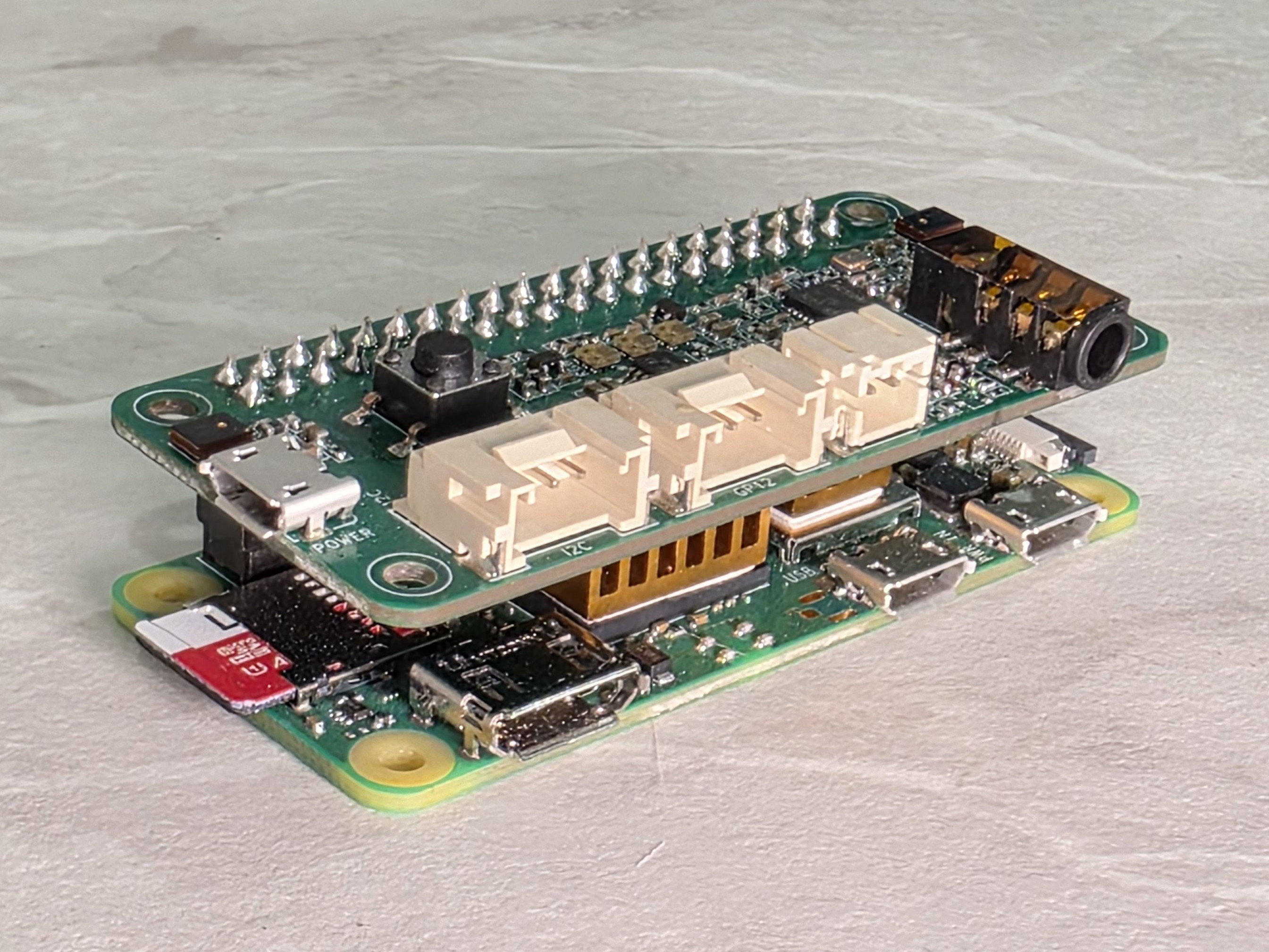
Google Home? Amazon Alexa? How about a fully self hosted AI driven Home Assistant Satellite. I'll leave the Home Assistant server setup for another day, but for now here are my efforts in building a Wyoming Satellite using a Raspberry Pi Zero 2W, a reSpeaker 2-Mics Pi HAT v2.0 and a few other components.
Table of Contents
Requirements
Software
- Home Assistant Server
- Voice Assistant Pipeline
Hardware
Note: These amazon links are affiliate based links that provide me with some monetary kick back to help me keep designing.
- Raspberry Pi Zero 2W with Header (Seed Studio)
- reSpeaker 2-Mics Pi HAT v2.0 (Seed Studio)
- M2 8mm hex screws (Amazon)
- 3 Watt 4 Ohm Speaker 4ohm 3W Loudspeaker JST-PH2.0 Interface (Amazon)
- MicroSD cards (Amazon)
- Heatsinks - Optional (Amazon)
- USB power supply (Amazon)
- Micro USB cord (Amazon)
- 3D printed case (Printables.com)
Prepare your Raspberry Pi
OS Updates
Let's update our Raspberry Pi and install git and python3 venv.
sudo apt-get update && sudo apt-get upgrade -y

sudo apt-get install --no-install-recommends git python3-venv -y
Wyoming Satellite installation
Now let's clone the wyoming-satellite repository. Make sure to replace admin with your user account name if it's different.
cd /home/admin/
git clone https://github.com/rhasspy/wyoming-satellite.git
Let's jump into the wyoming-satellite folder and build out a python environment
cd wyoming-satellite/
script/setup
.venv/bin/pip3 install 'webrtc-noise-gain==1.2.3'
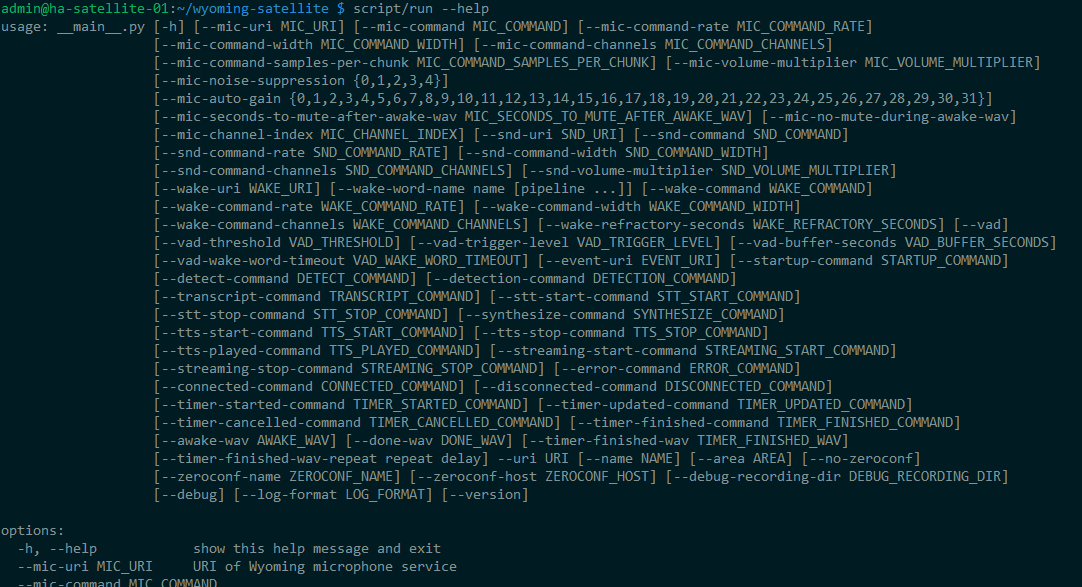
Let's confirm the script and environment are happy and functional.
script/run --helpExpected results:
reSpeaker driver build and install
Let's install the requirements to make the reSpeaker 2 Hat mic work.
cd ..
sudo apt install flex bison libssl-dev bc build-essential libncurses5-dev libncursesw5-dev linux-headers-$(uname -r) -y

git clone --depth=1 --branch rpi-6.6.y https://github.com/raspberrypi/linux.git

mkdir ~/tlv320aic3x_i2c_driver
cd ~/tlv320aic3x_i2c_driver

cp ~/linux/sound/soc/codecs/tlv320aic3x.c .
cp ~/linux/sound/soc/codecs/tlv320aic3x.h .
cp ~/linux/sound/soc/codecs/tlv320aic3x-i2c.c .
Let's create a make file.
nano MakefilePaste the following into it:
obj-m += snd-soc-tlv320aic3x-i2c.o
snd-soc-tlv320aic3x-i2c-objs := tlv320aic3x.o tlv320aic3x-i2c.o

KDIR := /lib/modules/$(shell uname -r)/build
PWD := $(shell pwd)

all:
        $(MAKE) -C $(KDIR) M=$(PWD) modules

clean:
        $(MAKE) -C $(KDIR) M=$(PWD) clean

install:
        sudo cp snd-soc-tlv320aic3x-i2c.ko /lib/modules/$(shell uname -r)/kernel/sound/soc/codecs/
        sudo depmod -a
Execute and install our make file
make
sudo make install
sudo modprobe snd-soc-tlv320aic3x-i2c
Let's check to see if things were installed.
lsmod | grep tlv320
dmesg | grep tlv320
cd ..
curl https://raw.githubusercontent.com/Seeed-Studio/seeed-linux-dtoverlays/refs/heads/master/overlays/rpi/respeaker-2mic-v2_0-overlay.dts -o respeaker-2mic-v2_0-overlay.dts
dtc -I dts respeaker-2mic-v2_0-overlay.dts -o respeaker-2mic-v2_0-overlay.dtbo
sudo dtoverlay respeaker-2mic-v2_0-overlay.dtbo
sudo cp respeaker-2mic-v2_0-overlay.dtbo /boot/firmware/overlays
Edit config.txt
sudo nano /boot/firmware/config.txtPaste the following under the all section
dtoverlay=respeaker-2mic-v2_0-overlay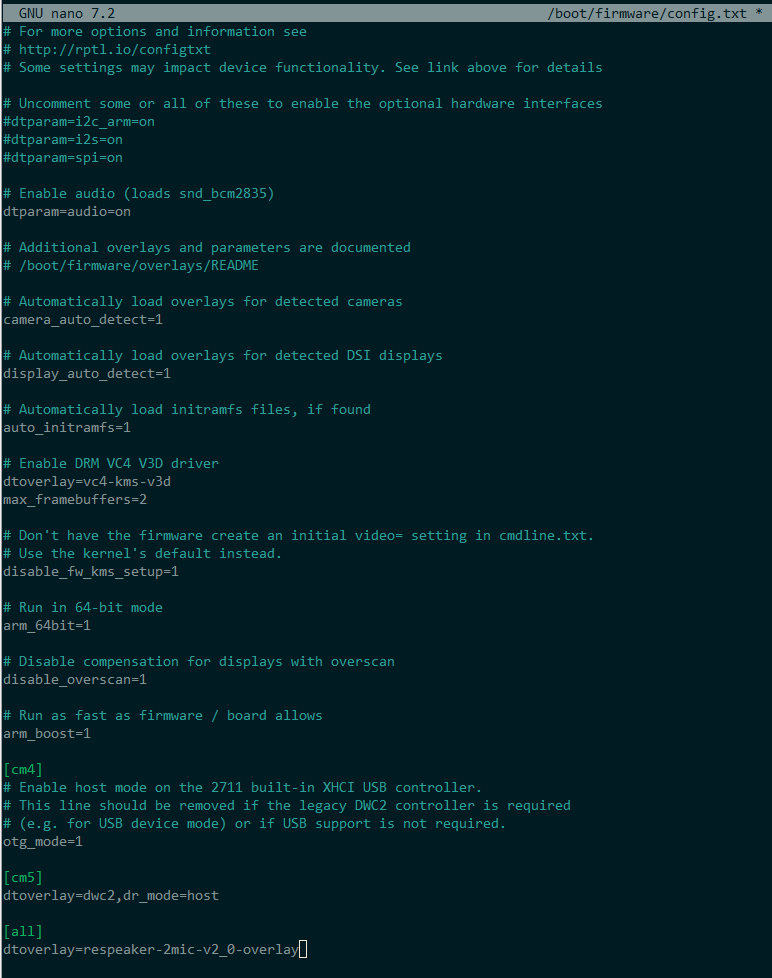
Let's adjust our Interface options on the Raspberry Pi
sudo raspi-configNavigate to "Interface Options" and enable both I2C and SPI interfaces
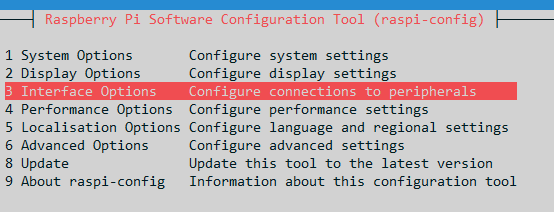
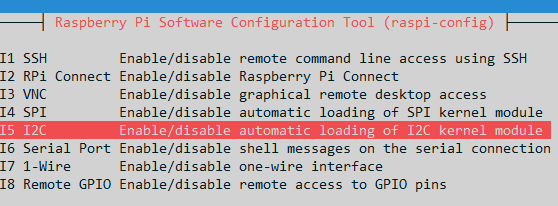
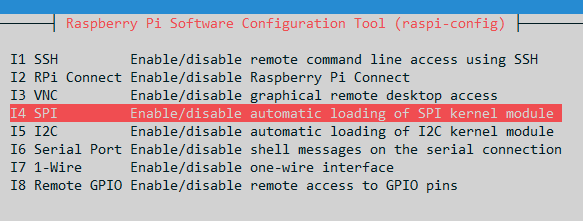
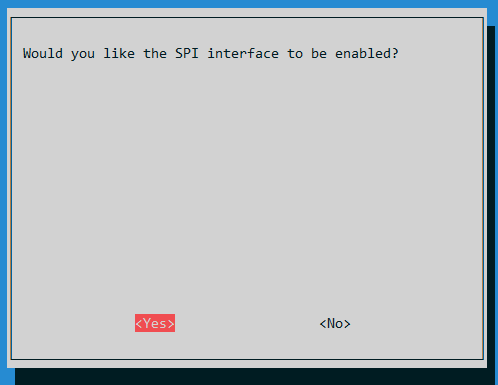
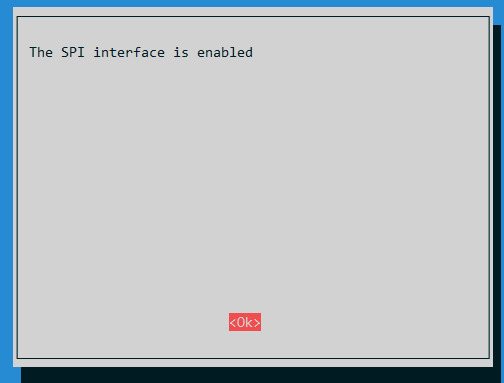
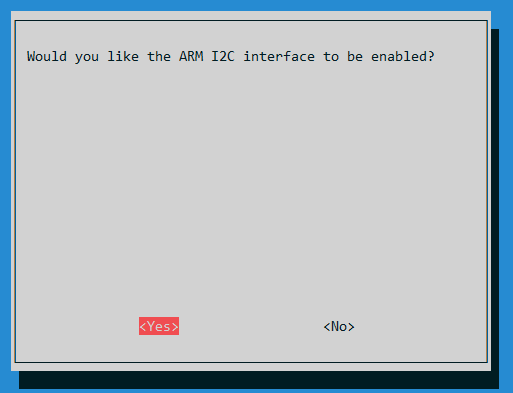
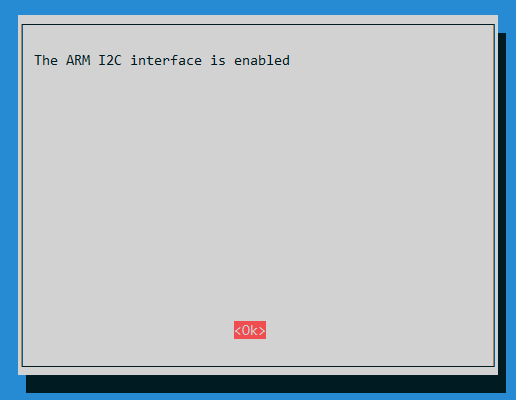
Reboot after enabling.
sudo rebootAdjust asound.conf to use reSpeaker as our default audio device
sudo nano /etc/asound.confCopy this into asound.conf
defaults.pcm.card 1
defaults.ctl.card 1
Microphone and volume level adjustments
Open alsamixer and set our capture volume and playback volumes and then store the values.
alsamixerPress F5 to move to the playback adjustements
- Adjust PCM to 100%
- Adjust Line DAC to 62%
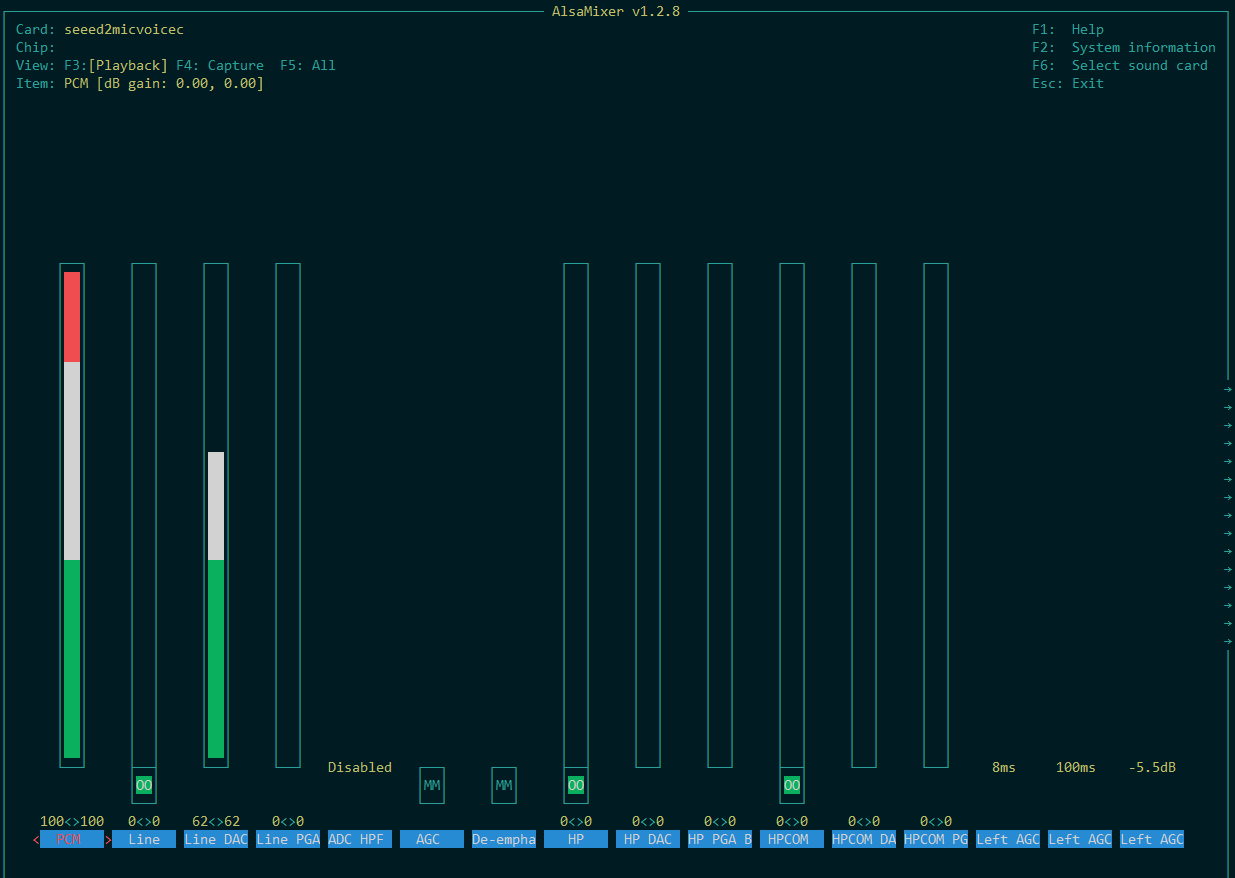
Press F4 to move to the capture adjustments
- Set PGA to 25
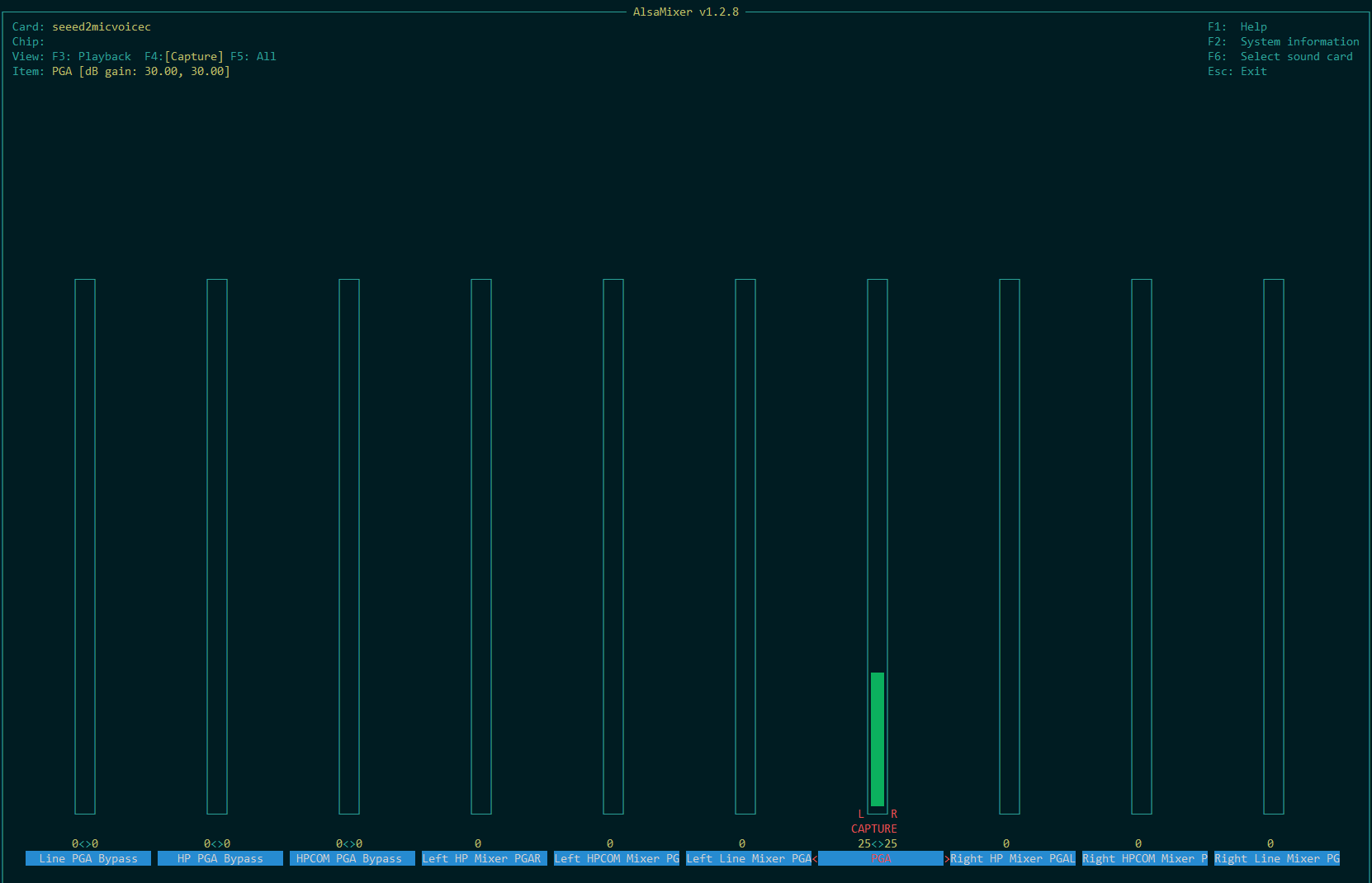
Press ESC to exit
Store these settings
sudo alsactl storeAudio
Upload these wav files into /home/admin/wyoming-satellite
Wyoming OpenWakeWord installation (Optional)
Enable local wakeword detection. The alternative to local wakeword detection is to install this via a docker as a central wakeword detection.
sudo apt-get install --no-install-recommends libopenblas-dev

git clone https://github.com/rhasspy/wyoming-openwakeword.git
cd wyoming-openwakeword
script/setup

sudo systemctl edit --force --full wyoming-openwakeword.service
Paste this into wyoming-openwakeword.service
[Unit]
Description=Wyoming openWakeWord

[Service]
Type=simple
ExecStart=/home/admin/wyoming-openwakeword/script/run --uri 'tcp://127.0.0.1:10400' --preload-model 'hey_jarvis' --threshold 0.95
WorkingDirectory=/home/admin/wyoming-openwakeword
Restart=always
RestartSec=1

[Install]
WantedBy=default.target
LED service installation
cd wyoming-satellite/examples
python3 -m venv --system-site-packages .venv
.venv/bin/pip3 install --upgrade pip
.venv/bin/pip3 install --upgrade wheel setuptools
.venv/bin/pip3 install 'wyoming==1.5.2'

sudo apt-get install python3-spidev python3-gpiozero

.venv/bin/python3 2mic_service.py --help

sudo systemctl edit --force --full 2mic_leds.service
Paste this into 2mic_leds.service
[Unit]
Description=2Mic LEDs

[Service]
Type=simple
ExecStart=/home/admin/wyoming-satellite/examples/.venv/bin/python3 2mic_service.py --uri 'tcp://127.0.0.1:10500'
WorkingDirectory=/home/admin/wyoming-satellite/examples
Restart=always
RestartSec=1

[Install]
WantedBy=default.target
Wyoming Satellite service installation
sudo systemctl edit --force --full wyoming-satellite.servicePaste this into wyoming-satellite.service. Making sure to adjust for your own customizations.
[Unit]
Description=Wyoming Satellite
Wants=network-online.target
After=network-online.target
Requires=wyoming-openwakeword.service 2mic_leds.service

[Service]
Type=simple
ExecStart=/home/admin/wyoming-satellite/script/run \
  --debug \
  --name 'ha-satellite-03' \
  --uri 'tcp://0.0.0.0:10700' \
  --mic-command 'arecord -D plughw:CARD=seeed2micvoicec,DEV=0 -r 16000 -c 1 -f S16_LE -t raw' \
  --snd-command 'aplay -D plughw:CARD=seeed2micvoicec,DEV=0 -r 22050 -c 1 -f S16_LE -t raw' \
  --wake-uri 'tcp://127.0.0.1:10400' \
  --wake-word-name 'hey_jarvis' \
  --awake-wav awake.wav \
  --done-wav deck_ui_misc_10.wav \
  --mic-auto-gain 5 \
  --mic-noise-suppression 2 \
  --timer-finished-wav timer_expired_alarm.wav \
  --timer-finished-wav-repeat 3 5 \
  --event-uri 'tcp://127.0.0.1:10500'

WorkingDirectory=/home/admin/wyoming-satellite
Restart=always
RestartSec=1

[Install]
WantedBy=default.target
Enable the service
sudo systemctl enable --now wyoming-satellite.serviceAdditional troubleshooting
arecord -D plughw:CARD=seeed2micvoicec,DEV=0 -r 16000 -c 1 -f S16_LE -t test.wav
CTRL + C
aplay test.wav

arecord -D plughw:CARD=Device,DEV=0 -r 16000 -c 1 -f S16_LE -t test.wav
arecord -D plughw:2,0 -r 16000 -c 1 -f S16_LE -t wav -d 5 test.wav
Custom Wakeword installation
cd /home/admin
git clone https://github.com/fwartner/home-assistant-wakewords-collection.git
Adjust the Wyoming OpenWakeWord service.
sudo systemctl edit --force --full wyoming-openwakeword.serviceAdjust our execstart. Notice the custom model directory, make sure this points to the directory of the model you desire to use.
ExecStart=/home/admin/wyoming-openwakeword/script/run \
  --uri 'tcp://127.0.0.1:10400' \
  --preload-model 'jarvis_v1' \
  --threshold 0.50 \
  --custom-model-dir '/home/admin/home-assistant-wakewords-collection/en/jarvis'
Adjust the wyoming satellite service
sudo systemctl edit --force --full wyoming-satellite.serviceUpdate this line of code pointing to the desired wake word
--wake-word-name 'jarvis_v1' \